Published: June 26, 2026 | Last Updated: June 26, 2026
ElevenLabs Voice Clone for Creators: The Beginner Workflow That Actually Works
The ElevenLabs voice clone system is the most practical AI audio tool a solo creator can use in 2026 – but most beginner guides skip the parts that will cost you money or get your account flagged. This guide covers the IVC-first workflow a new user should follow, the honest cost math most tutorials ignore, the failure modes you will hit, and the ethics obligations that apply from the moment you upload your first audio file.
This article is for general informational purposes only and is not legal advice. Voice-cloning, AI-disclosure, and likeness laws vary by jurisdiction and change frequently – confirm the current rules that apply to you, and consult a qualified attorney before relying on any of this for a commercial or legal decision.
If you want to understand how tools like ElevenLabs fit into a broader AI productivity stack, our guide on the best AI tools in 2026 maps out the full creator toolkit. For the discipline of turning AI tools into consistent workflows, how to use AI to work smarter is where to start. And if you are weighing the monthly cost against what these subscriptions actually return, AI tool stack ROI in 30 days gives you a concrete framework for making that call.
ElevenLabs Voice Clone – Quick Definition
An ElevenLabs voice clone is a personalized AI voice model built from your own audio recordings, which the platform then uses to generate new speech from any text you write. It matters because it allows a solo creator to produce consistent, high-quality voiceovers at scale without recording every script from scratch. It is most useful for YouTubers, podcasters, and founders who produce regular audio content and want to separate recording effort from content output.
Featured Answer: How Does an ElevenLabs Voice Clone Work?
To create an ElevenLabs voice clone, you upload 1 to 5 minutes of clean audio of your own voice. The platform builds a voice model from that sample, and you can then type any script and generate speech in your cloned voice. Instant cloning is available from the free tier; Professional cloning – which produces noticeably better results – requires the Creator plan at $22 per month.
Quick Takeaways
- Instant Voice Cloning needs 1 – 5 minutes of audio and is ready in seconds.
- Professional Voice Cloning needs 30+ minutes of audio and takes 3 – 6 hours to train.
- The free plan does not include commercial rights; Starter ($6/month) adds them.
- Real-world credit consumption runs 2 – 3x the advertised monthly allowance.
- You may only clone your own voice or one you have explicit consent to clone.
- Disclosure to your audience is required – not optional – under ElevenLabs policy and EU law.
What Is an ElevenLabs Voice Clone?
ElevenLabs is an AI audio platform that converts text into speech using a model trained on your voice. It raised a $500M Series D at an $11B valuation in February 2026, backed by Sequoia Capital, NVIDIA, and Salesforce, and reached $500M ARR by April 2026 – according to CNBC. That context matters because the platform has the runway to keep improving, and the voice quality reflects that investment.
For a solo creator, the core value is simple: record yourself once, train a voice model, and generate voiceovers for any future script without sitting at a microphone again. The platform supports 32+ languages while preserving your cloned voice characteristics, and the broader text-to-speech library supports 70+ languages.
Why This Is Different From Standard Text-to-Speech
Generic text-to-speech uses a pre-built voice that sounds like someone else. A voice clone uses your voice – your cadence, your accent, your pacing. The difference matters for audience trust and brand consistency, especially if you are building a channel or podcast where your voice is part of the product.
ElevenLabs’ Eleven v3 model produces output that regularly fools listeners into thinking a human recorded it. That quality cuts both ways: it is exactly why disclosure obligations exist, and it is the reason the tool is worth the learning curve.
Instant Voice Cloning vs. Professional Voice Cloning
ElevenLabs offers two cloning modes, and the difference between them is significant enough to affect which plan you should buy. Understanding the technical distinction helps you set realistic expectations before you upload a single file.
Instant Voice Cloning (IVC)
- How it works: Few-shot adaptation – your audio acts as a conditioning signal at inference time; no model weights are updated
- Audio required: 1 – 5 minutes of clean speech
- Ready in: Seconds
- Quality: Good for consistent voiceovers; accent drift can appear on long passages
- Plan required: Free tier (no commercial rights) or Starter ($6/month) for commercial use
- Best for: Beginners testing the workflow; quick YouTube narration; audiograms
Professional Voice Cloning (PVC)
- How it works: Fine-tuning – the model’s actual parameters are updated on your audio samples
- Audio required: 30 minutes minimum; 2 – 3 hours recommended
- Ready in: 3 – 6 hours after upload
- Quality: Noticeably better consistency, emotional range, and cross-language performance
- Plan required: Creator ($22/month) – the first tier to unlock PVC
- Best for: Podcasters, audiobook narrators, multilingual content; any use case where voice consistency is non-negotiable
According to ElevenLabs’ official documentation, the technical difference is fundamental: IVC conditions at inference time without touching model parameters, while PVC modifies the model itself. That is why PVC results are more stable at scale and hold better across languages.
Which Mode Should a Beginner Start With?
Start with IVC. It requires less recording time, produces usable results quickly, and lets you test whether the workflow fits your content process before committing to the Creator plan. Most solo creators find IVC sufficient for YouTube narration and podcast intros.
Move to PVC when consistency breaks down – specifically when you notice accent drift on long scripts, quality inconsistencies between generations, or when you need the same voice quality in a second language. That is the point where the Creator plan pays for itself.
The Beginner IVC Workflow: Step by Step
This is the exact sequence a beginner should follow to go from zero to a working voice clone. All steps are confirmed against the current ElevenLabs UI as of June 2026.
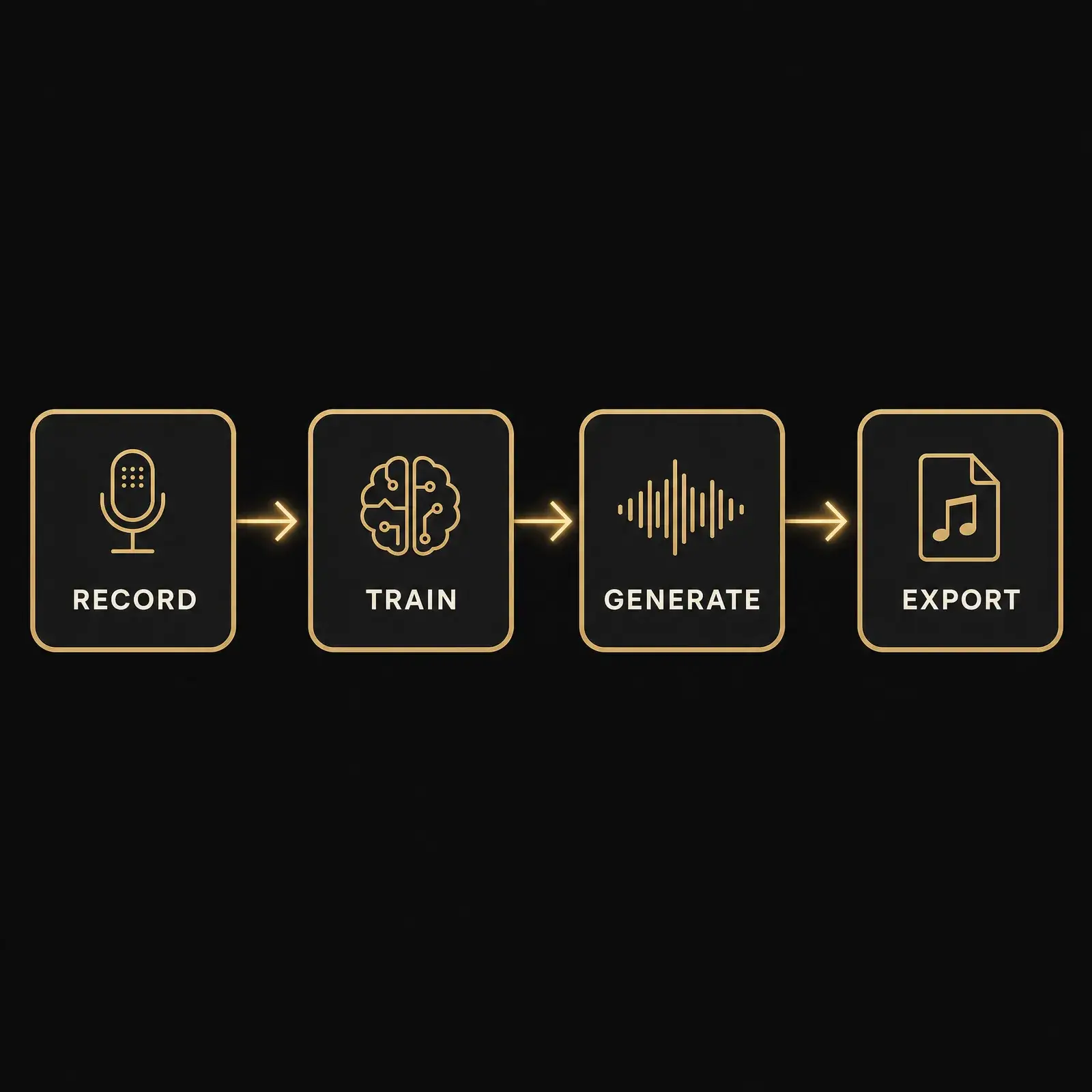
Step 1: Set Up Your Account and Choose a Plan
Create a free account at elevenlabs.io. The free tier gives you 10,000 credits per month – roughly 10 minutes of audio – and access to Instant Voice Cloning. However, the free tier includes no commercial rights, so anything you publish to YouTube or a podcast requires at minimum the Starter plan at $6/month.
For most creators reading this, the practical starting point is the Starter plan ($6/month) if you want IVC with commercial rights, or Creator ($22/month) if you want Professional cloning. Always verify current pricing at elevenlabs.io/pricing before purchasing – these figures were confirmed on June 26, 2026, but plans update periodically.
Step 2: Record and Prepare Your Audio
Record 1 to 5 minutes of clean speech. Use a quiet room, a decent USB condenser microphone (a $99 – $149 option like a Blue Yeti is sufficient for IVC), and aim for audio levels between -23 dBFS and -18 dBFS RMS. Read a few paragraphs of varied text – some slower, some faster, some conversational – so the model captures your full range rather than one flat tone.
Avoid filler words, stammers, and background noise. The model clones everything it hears, including room acoustics and vocal artifacts. If you stumble on a sentence, stop and re-record that sentence rather than keeping the take.
Step 3: Upload and Create the Voice Clone
In ElevenLabs, go to Voices, click Add New Voice, and select Instant Voice Clone. Upload your audio file, name the voice, and check the consent box – this is mandatory and confirms you have the rights to clone this voice. The voice appears under My Voices immediately after saving.
Step 4: Generate Speech
Go to Text to Speech. Paste your script and select your cloned voice from the right panel. Choose your model: Eleven v3 for maximum quality, Flash v2.5 if you need faster generation on a tight deadline.
Set Stability to 40 – 50% for natural expressive range, and Similarity Enhancement to approximately 75%. Higher Stability produces more consistent output but can sound flat; lower Stability is more expressive but less predictable across multiple generations. Find your balance through a few test runs before committing a long script.
Step 5: Export and Integrate
Generate the speech, then download as MP3 or WAV. If a specific segment sounds off, regenerate only that segment. Do not regenerate the full script – every generation attempt consumes credits, including failed ones.
Recording Tips That Actually Matter
The recording quality you put in determines the voice quality you get out. ElevenLabs’ official guidance on this is solid, and the 7 tips for creating a professional-grade voice clone is worth reading before your first session.
Environment Before Equipment
A quiet room matters more than an expensive microphone. A clothes closet lined with hanging garments absorbs reflections better than most treated studios. Record late at night if ambient street or HVAC noise is a problem during the day.
Consistency matters as much as quality for Professional cloning. Use the same room, the same microphone, and the same distance from the mic across every recording session. The model learns your room acoustics alongside your voice, and inconsistency across sessions degrades results.
What to Record
Vary the content of your recording. Neutral passages, conversational sections, slightly faster delivery, and slightly slower phrasing all help the model capture your range. Avoid recording entirely in a flat, monotone voice even if that is not how you naturally speak.
For IVC, 5 minutes is a comfortable target. For PVC aimed at podcast or audiobook quality, budget 30 to 45 minutes minimum. For PVC in a second language, record 30 to 45 minutes in that specific language – the model performs better on multilingual content when trained on audio in each target language separately.
Pricing and the Honest Credit Math
The advertised credit allowances look generous until you run a real production month. Verified against ElevenLabs’ pricing page on June 26, 2026 – always check elevenlabs.io/pricing before purchasing since tiers update without notice.
The Plan Breakdown
The free tier gives 10,000 credits monthly with no commercial rights and IVC only. Starter at $6/month adds 30,000 credits and commercial rights. Creator at $22/month (first-month promo at $11) unlocks Professional Voice Cloning with 121,000 credits.
Pro at $99/month gives 600,000 credits. Annual billing across all plans removes roughly two months of cost.
The Credit Burn Reality
Approximately 1,000 characters equals 1 minute of audio at average English narration speed. The Creator plan’s 121,000 credits cover roughly 121 minutes of audio per month in theory – around 8 to 12 short YouTube videos, or 4 to 6 standard podcast episodes.
In practice, real-world credit consumption runs 2.2 to 2.8 times the advertised rate, according to an independent 90-day production audit by qcall.ai. Failed generations consume full credits. That same audit found one audiobook project required 347 regenerations – 2.4 times projected credit use.
Breaking scripts into chunks under 200 words reduced failed generations by 78%. The practical rule: budget 2 to 3 times the advertised credit allowance when estimating what a given plan will actually cover. A Creator plan at 121,000 credits will realistically cover closer to 40 to 55 minutes of final audio per month once regenerations are factored in.
Failure Modes and How to Fix Them
Every new ElevenLabs user hits the same set of problems. Knowing them in advance saves credits and frustration.
Robotic Mid-Sentence Delivery
Unnatural pauses or a robotic tone in the middle of a sentence usually trace back to inconsistent training audio or Stability set too high. Re-record your training audio with a focus on varied delivery, and pull the Stability slider down to 40 – 50%. Higher Stability sacrifices expressiveness for consistency – useful for narration, counterproductive for conversational content.
Accent Drift and Language Switching
Long text blocks can confuse the model into drifting away from your accent or briefly switching pronunciation styles. Break long scripts into segments under 800 characters. For multilingual content, IVC is not robust across languages – use PVC with training audio recorded in the target language.
Mispronounced Names and Acronyms
The model was not trained on unusual proper nouns or industry acronyms. Use the ElevenLabs Pronunciation Dictionary to add phonetic spellings for any term that gets mangled. For numbers over 200,000, write them out as words – the model handles “two hundred thousand” reliably but mangles the numeral version.
Volume and Tone Shifts Mid-Passage
If the voice volume or emotional tone shifts unexpectedly mid-script, set the Style slider to 0 and break the script into shorter segments. Breathing artifacts between paragraphs are fixed by regenerating the paragraph immediately before the artifact appears, not the one that contains it.
Creator Use Cases: What This Tool Actually Saves You
AI voice cloning replaces recurring recording time, not one-off tasks. The value compounds when you produce content on a regular schedule.
YouTube Narration and Video Voiceover
A solo YouTuber producing two videos per week can replace the recording step entirely once a voice clone is trained. Write the script, generate the audio, sync it to footage. The time saving is most significant for creators who already write detailed scripts and spend 30 to 60 minutes re-recording takes.
For creators building an audience from scratch, consistent voice output matters as much as visual consistency – a voice that sounds identical across every video becomes part of the brand. Our guide on how to build an audience from zero covers why consistency is the core mechanic, and voice cloning is one tool that enforces it automatically.
Podcast Intros and Repurposed Content
A written blog post can become a podcast-ready audio version in under 10 minutes with a trained voice clone. Paste the article, generate, export, and distribute. No additional recording session required.
Audiograms and Social Audio
Short audio clips for social media can be generated from any written content – newsletters, tweets, key quotes from longer pieces. The output is consistent quality without booking studio time or setting up a microphone.
Ethics and Disclosure: The Part Most Guides Skip
Most beginner guides on ElevenLabs voice cloning cover the workflow and skip the obligations. That order of priorities is backwards.
The Consent Rule Is Absolute
You may clone your own voice without additional steps. Cloning another person’s voice requires explicit, informed consent before you upload the audio – not just before you publish.
ElevenLabs enforces this via automated monitoring, user reports, and human review. Accounts are suspended for violations.
Per the ElevenLabs Use Policy, “creating or using ElevenLabs audio output to intentionally replicate the voice of another person without consent or legal right” is prohibited. Several US states have also moved to regulate AI voice and likeness, and Tennessee’s ELVIS Act is the clearest example. States including California and New York have related likeness and publicity laws.
This area is changing fast, so verify the current law in your jurisdiction before cloning any voice other than your own.
Disclosure to Your Audience Is Required
ElevenLabs requires organizations using the platform to clearly disclose when their audience is hearing AI audio rather than a live human voice. YouTube requires a synthetic content disclosure when a voice is realistic enough to be mistaken for a real person.
The EU AI Act includes transparency rules that require AI-generated audio to be labeled as synthetic, with obligations phasing in across 2025 and 2026. If you publish to EU audiences, confirm the current effective dates that apply to you. The FTC has also issued guidance addressing AI-generated advertising content and disclosure requirements.
Disclosure takes five seconds. It protects your credibility long-term. Skipping it risks audience backlash when the truth surfaces – and in the current environment, it usually does.
Three Practical Rules
- Only clone your own voice. It is legally clean and the most practical use case anyway.
- Tell your audience when they are hearing a cloned voice. A brief note in a video description or at the start of an episode is sufficient.
- Never clone a celebrity, public figure, or anyone who has not given explicit, documented consent.
Mistakes to Avoid
Starting on the Free Plan for Commercial Content
The free tier has no commercial rights. Publishing free-tier generated audio to YouTube or a monetized podcast violates the terms of service. Upgrade to at least Starter ($6/month) before putting any AI-generated audio in front of an audience you monetize.
Treating Advertised Credits as Your Real Budget
The gap between advertised credit allowance and real-world consumption is not a bug – it is a structural feature of how generative audio works. Every failed generation, every regenerated segment, every test run costs credits. Budget 2 to 3 times the advertised number from day one.
Uploading Inconsistent Training Audio
Recording in different rooms, at different microphone distances, with different gain settings across sessions will produce an inconsistent clone. Set your recording environment once and replicate it exactly for every future session that adds to the training pool.
Submitting Long Scripts as One Block
Scripts over 800 characters per segment generate more errors and consume more credits through regenerations. Breaking scripts into shorter blocks under 200 words reduces failed generations significantly, based on the qcall.ai independent audit findings.
Skipping the Pronunciation Dictionary
Industry terms, product names, and unusual proper nouns will get mispronounced without intervention. Build a Pronunciation Dictionary entry for every recurring term before you start generating production audio.
Frequently Asked Questions
Is the ElevenLabs free plan enough to get started?
The free plan is enough to test the workflow, but not enough to publish. It gives 10,000 credits (roughly 10 minutes of audio) and Instant Voice Cloning access, but includes no commercial rights. Anything you publish to YouTube or a podcast requires at least the Starter plan.
How long does it take to create an ElevenLabs voice clone?
Instant Voice Cloning is ready in seconds after you upload 1 to 5 minutes of audio. Professional Voice Cloning requires 30 minutes minimum of uploaded audio and takes 3 to 6 hours to fine-tune.
What is the difference between IVC and PVC?
IVC conditions the model at inference time using your audio as a signal without updating model weights. PVC fine-tunes the model’s actual parameters on your samples, producing more consistent and expressive output. IVC is faster and cheaper to start; PVC is better for production-quality, long-form, or multilingual content.
Can I clone someone else’s voice?
No – ElevenLabs policy prohibits cloning another person’s voice without explicit, informed consent. Multiple US states have enacted laws making this illegal regardless of whether the audio is published. Only clone your own voice unless you have clear, documented consent from the other party.
Do I have to tell my audience when they hear an AI voice?
Yes – ElevenLabs requires disclosure when audiences are hearing AI audio rather than a live human, and YouTube has its own synthetic content labeling requirement. The EU AI Act’s transparency rules and FTC guidance on AI-generated content point in the same direction. Brief disclosure protects both your credibility and your legal standing.
How many credits does one minute of audio cost?
Approximately 1,000 credits per minute of audio at average English narration speed. However, failed generations consume full credits too. Real-world consumption runs 2.2 to 2.8 times the theoretical rate, so plan accordingly.
What plan should a beginner creator start on?
Starter ($6/month) for IVC with commercial rights, or Creator ($22/month) if you want Professional Voice Cloning from day one. Skip the free plan for any published content. Always verify current pricing at elevenlabs.io/pricing before deciding.
How do I fix mispronounced words in my voice clone?
Use the ElevenLabs Pronunciation Dictionary to add phonetic spellings for any term the model gets wrong. For numbers over 200,000, write them out as words. For acronyms, spell out each letter separated by periods if the dictionary does not fix it on first attempt.
Does an ElevenLabs voice clone work in other languages?
IVC works across 32+ languages but accent consistency degrades in non-English output. For multilingual content, Professional Voice Cloning with training audio recorded in the target language produces significantly better results.
What microphone do I need for voice cloning?
A $99 to $149 USB condenser microphone – a Blue Yeti or Rode NT-USB are both sufficient for IVC. Room consistency matters as much as microphone quality. Use the same mic, room, and distance from the microphone across every recording session.
How I Know This
I built BTO’s entire content operation on a multi-agent AI pipeline – not because I am a developer, but because I approached it the way I approach any system: identify the phases, assign the right tool to each phase, and wire them together deliberately. Every article on this site goes through a structured sequence of specialist AI agents, with quality checks baked into each handoff.
That workflow is the reason I take AI tools like ElevenLabs seriously and also why I am skeptical of the hype that surrounds them. The honest questions are what it actually costs, where it breaks, and what you owe your audience for using it – and those are the questions that frame this guide, not the platform’s marketing copy.
My five years in digital marketing taught me that the tools creators adopt early compound over time – but only if they are adopted with a clear-eyed view of the limits. I am not a voice actor or audio engineer; I am a builder who evaluates tools the way a contractor evaluates materials: what does it cost, where does it fail, and what is the right use case for it?
The Bigger Picture
An ElevenLabs voice clone does not make you a better creator. It makes one part of the production process faster: the part where recording time is the bottleneck between a written idea and a published piece of audio.
That is genuinely valuable if audio is part of your content strategy. It is worth almost nothing if it is not. Most of the creators who struggle with the tool are not doing anything wrong technically – they adopted it before they had a clear answer to what problem it was solving for them.
The tools that compound for independent creators are the ones used deliberately, within a process, with honest expectations of what they return. That is the thread running through how BTO covers AI and the economics of building something on your own terms. If you want to keep building that stack deliberately, start with the custom GPT beginner guide as a natural next step in the AI tool sequence.
About the Author
I’m Randal, the founder of Break The Ordinary – a multi-niche media brand covering business, tech, health, and finance for people who want to build wealth, freedom, and a life worth living. I built BTO’s full content operation on a systematic AI pipeline, which means I evaluate AI production tools the way this guide does: from the inside, with a clear view of what they cost, where they break, and what they actually deliver. I share what actually works, what doesn’t, and what most people get wrong. My approach is direct, research-backed, and built on real experience – not theory.