Published: July 1, 2026 | Last Updated: July 1, 2026
How to Self-Host AI Models: A Beginner’s Guide to Running AI Locally
If you have ever wondered how to self-host AI models on your own machine, the short answer is that it is more accessible than it has ever been. In July 2026, you can download a capable language model, install a single tool, and run your first local inference without writing a line of code or owning a dedicated GPU.
Running AI locally means your prompts never leave your device, your usage costs nothing after setup, and no vendor can change pricing or terms on you mid-project. Most conversations about AI stop at which cloud subscription to pay for, which misses this alternative path entirely. For the person handling client contracts, private business data, or sensitive personal finances, that distinction matters.
The decision is not cloud versus local, though. It is knowing when each makes sense – and that requires an honest look at what local models actually do well and where they fall short.
If you are paying attention to the broader AI stack, read this alongside our piece on reducing LLM API costs with a self-hosted VPS stack – that covers routing cloud model requests through your own infrastructure instead of running models locally. The privacy stack for small business owners is also directly relevant if data control is your primary motivation. And for anyone thinking about local models inside an automated workflow, agentic AI for solo founders explains how these tools fit into a real production pipeline.
What Is Self-Hosting AI?
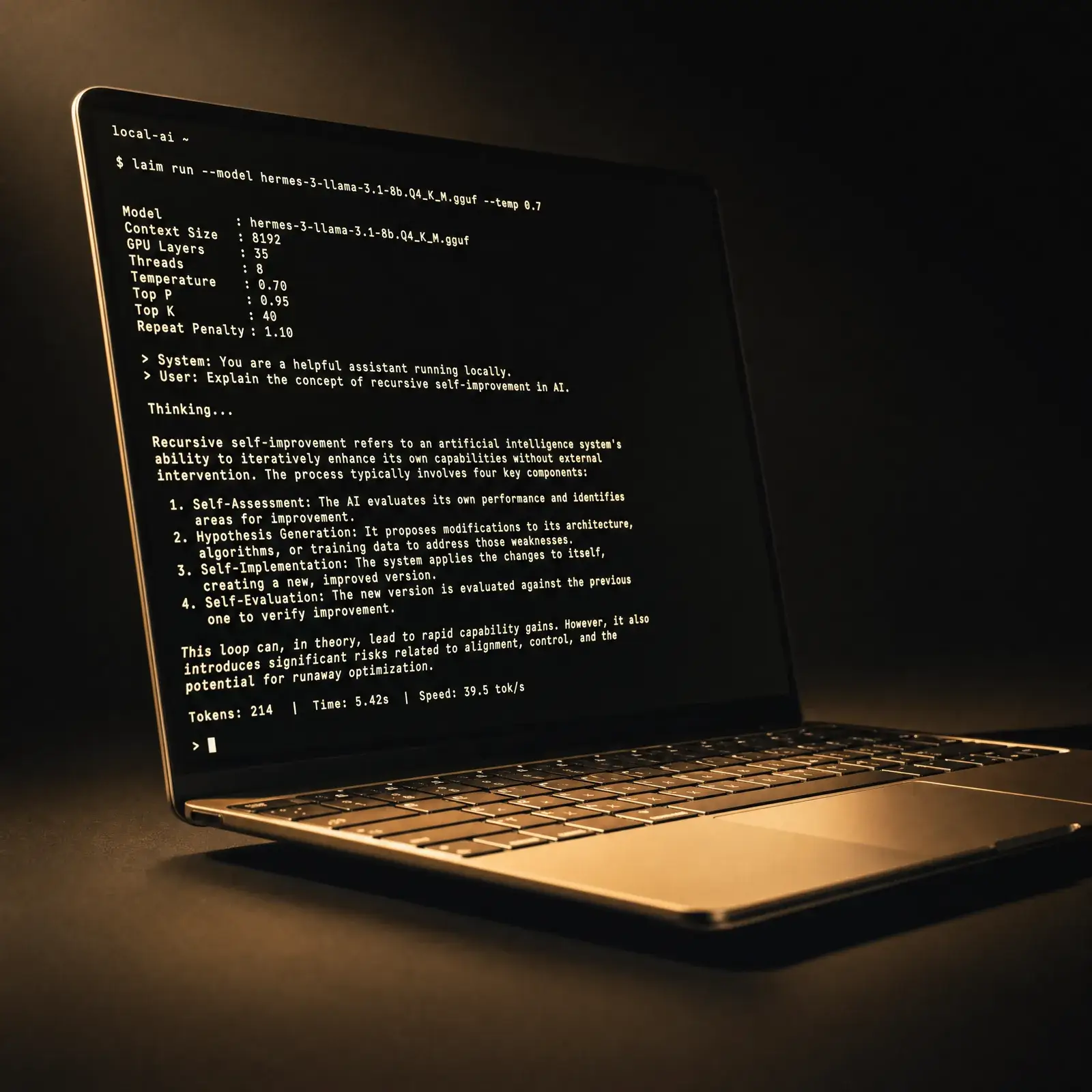
Self-hosting AI means downloading an open-weight language model and running it on your own hardware – your laptop, desktop, or local machine – rather than sending prompts to a cloud service like ChatGPT or Claude. The model runs entirely on your device: nothing leaves, there are no API costs after setup, and no vendor can change the terms. This approach is most relevant for technically curious people who work with sensitive data, want offline capability, or want to eliminate recurring AI subscription costs.
The Direct Answer
To self-host AI models, download an open-weight model in GGUF format from Hugging Face and run it using a local runtime like Ollama or LM Studio. No cloud account is required. The model runs entirely on your hardware with no data leaving your device.
Quick Takeaways
- You do not need a GPU to start – CPU-only inference works on models up to 7B parameters.
- Apple Silicon Macs are the best beginner hardware for local AI in 2026.
- Ollama (CLI) and LM Studio (desktop GUI) are the two easiest starting points.
- A 7B model at 4-bit quantization needs roughly 4–5 GB of available memory.
- Local models excel at summarization, private document Q&A, and offline tasks – not general reasoning.
- Self-hosting does not automatically guarantee privacy – some tools still make cloud calls.
Do You Actually Need a GPU to Self-Host AI Models?
No – and this is the misconception that stops most people before they start. Smaller quantized models in the 1B to 7B parameter range run on CPU-only systems with as little as 8 GB of RAM.
The trade-off is speed. According to DeployHQ’s 2026 data, a model that fits entirely within GPU VRAM runs roughly 10 times faster than one forced to use system RAM. In practical terms, an NVIDIA RTX 4060 Ti delivers roughly 30–50 tokens per second on a 7B Q4 model, while CPU-only inference on the same model produces approximately 1–5 tokens per second.
For interactive chat that speed gap is significant. For document summarization or draft review where timing is not critical, it is manageable. Start CPU-only if your hardware is limited, pick tasks that are not time-sensitive, and upgrade only if you confirm speed is a real bottleneck in your actual workflow.
Why Apple Silicon Changes the Calculation
Apple Silicon Macs occupy a unique position in local AI inference, and the reason is architectural. The M-series chip uses a unified memory system where the CPU and GPU share the same pool of RAM – so there is no separate VRAM ceiling to hit. An M3 MacBook Pro with 16 GB unified memory runs 7B to 13B models comfortably.
An M4 Pro with 48 GB unified memory handles models up to 32B parameters, running roughly 15–22 tokens per second at that tier and around 45–55 tokens per second on smaller 8B models, according to benchmarks published by daily.dev in June 2026. No other laptop hardware gives you that combination of available memory and inference speed without a discrete GPU, which is why Apple Silicon is widely considered the most practical starting point for local LLMs in 2026.
Hardware Tiers: What Your Machine Can Run
Understanding which models your current hardware supports is the single most important step before downloading anything. A model that exceeds your available memory forces the runtime to spill weights into system RAM – dropping inference speed from a usable 30–50 tokens per second to an unusable 1–5, according to DeployHQ’s 2026 analysis.
The core memory rule: at 4-bit quantization, you need roughly 0.5 GB of VRAM or unified memory per billion parameters. Add 1–2 GB overhead for a standard 4K context window. The comparison cards below map hardware to realistic model choices, compiled from multiple hardware guides published in 2026.
8 GB RAM – No Discrete GPU
- Model Range: 1B – 3B parameters
- Recommended Models: Phi-4-mini (3.8B), Llama 3.2 (3B)
- Inference Mode: CPU-only
- Best For: Summarization, short drafts, offline Q&A
- Realistic Speed: 1–5 tokens/sec (approximate)
16 GB RAM / 8 GB VRAM (or M-series 16 GB)
- Model Range: 7B – 8B parameters
- Recommended Models: Llama 3.3 8B, Qwen3 7B
- Inference Mode: GPU-assisted or unified memory
- Best For: Coding help, document review, private chat
- Realistic Speed: 30–50 tokens/sec on GPU (approximate)
32 GB RAM / 16 GB VRAM (or M-series 32 GB)
- Model Range: 13B – 14B parameters
- Recommended Models: Phi-4 (14B), Gemma 3 (12B)
- Inference Mode: GPU or unified memory
- Best For: More complex drafting, longer context tasks
- Realistic Speed: 20–40 tokens/sec (approximate)
48 GB+ (Mac with 48 GB Unified or 2-GPU Rig)
- Model Range: 27B – 32B parameters
- Recommended Models: Gemma 3 27B, Qwen3 32B
- Inference Mode: Unified memory or multi-GPU
- Best For: Near-frontier quality on private tasks
- Realistic Speed: 15–22 tokens/sec on M4 Pro (approximate)
Sources for the hardware tiers: AI Magicx 2026 hardware guide, daily.dev June 2026, and contabo.com’s 2026 runtime comparison. All speed figures are approximate benchmark estimates – actual results vary by specific chip, system configuration, and model architecture.
The Four Tools Worth Knowing for Local LLMs
The local AI tooling has converged around a small number of runtimes that actually work for non-developers. Understanding what each one does prevents you from installing three tools that cover the same ground.
llama.cpp – The Foundation
Nearly every beginner tool for running local LLMs is built on top of llama.cpp, the open-source inference library from ggml-org. As of June 2026 it has over 109,000 GitHub stars and its latest release is b9838. It established the GGUF file format that is now the standard distribution format across local LLM tooling.
You do not need to use llama.cpp directly – but knowing it exists helps you understand why GGUF files work across Ollama, LM Studio, and Jan. They all use the same underlying inference layer.
Ollama – Best Default for Most People
Ollama is a CLI-first runtime that reduces local model setup to a single command. After installation, ollama run llama3.3 downloads the model and opens an interactive session. Its idle memory footprint is roughly 100–200 MB according to contabo.com’s 2026 comparison.
The Contabo technical team’s assessment: for most developers and technically comfortable users in 2026, Ollama is the right default. It combines instant setup, excellent performance on Apple Silicon, and the lowest friction for integrating local models into daily workflows. It also exposes a local REST API, so you can connect it to Open WebUI or other front-ends.
LM Studio – Best for Non-CLI Beginners
LM Studio is a desktop application with a visual model browser, one-click downloads from Hugging Face, and a built-in chat interface. Its idle RAM footprint is heavier – roughly 300–600 MB according to contabo.com’s 2026 data. For someone with no prior command-line experience, it is the clearer starting point.
LM Studio also bundles a local server mode, letting you use it as an OpenAI-compatible endpoint for other tools. Version 0.4.18 is the current release as of mid-2026.
Jan AI – For Truly Offline Operation
Jan is a fully offline desktop client with no cloud dependencies once the model is downloaded. Among the tools discussed here it is the most explicit about privacy – it makes no update-check or analytics calls during local operation. The Jan AI documentation covers its air-gapped setup in detail.
Open WebUI – A ChatGPT-Style Interface for Ollama
Open WebUI is a browser-based front-end that connects to an Ollama backend and gives you a familiar chat interface. It has over 25,000 GitHub stars as of April 2026. If you want the visual experience of ChatGPT with local models, this is the combination most practitioners use.
How to Self-Host AI Models: Getting Your First One Running
The path from zero to a running local model takes under 15 minutes on a reasonably modern machine. According to the Ollama quickstart documentation, the process collapses to three steps on macOS or Linux.
Step 1 – Install the Runtime
Download Ollama from docs.ollama.com, or LM Studio from lmstudio.ai if you prefer a graphical interface. Run the installer – there is no Python environment to configure and no compilation required.
Step 2 – Pull a Model That Fits Your Hardware
Run ollama pull llama3.2:3b for an 8 GB machine, or ollama pull qwen3:7b for a 16 GB machine. Ollama downloads the model in GGUF format directly from its registry. Match the model size to the hardware tier cards above – pulling a 13B model onto an 8 GB machine produces the 1–5 tokens-per-second crawl that makes local AI feel broken.
Step 3 – Start Chatting
Run ollama run llama3.2:3b. The model loads and opens an interactive prompt. Everything from this point happens on your machine, with no internet connection required after the initial download.
One Practical Note on Prompt Specificity
Local models below the 13B tier are more sensitive to vague instructions than cloud frontier models like GPT-4o or Claude Sonnet. According to XDA Developers’ 2026 research, prompt specificity matters significantly more with a self-hosted 7B model – cloud services have additional fine-tuning layers that compensate for imprecise inputs. Write more specific prompts than you would with ChatGPT and you will get meaningfully better results.
The Privacy Reality Check
Self-hosting is frequently described as an automatic privacy solution. That framing is only partially correct, and the gap matters more than most beginners expect.
What Is Actually Private
The model weights, the inference computation, and the response generation all run entirely on your hardware. Your prompts and outputs are never transmitted to an external server during inference. For document review, private business analysis, or sensitive financial planning, that is a genuine privacy gain.
What Is Not Automatically Private
Several popular frontend tools make cloud calls even when the model runs locally. Update checks, embedding API calls, and optional analytics can all transmit data without explicit notice. According to XDA Developers’ 2026 research on local LLM self-hosting, truly air-gapped operation requires choosing tools that explicitly support offline use and verifying their network behavior before trusting them with sensitive material.
Jan AI and a carefully configured Ollama setup are among the more reliable options for genuinely private operation. For business contexts handling PII, medical records, legal documents, or proprietary code, Northflank’s engineering team notes that sending that data to a third party may violate compliance requirements – making network behavior verification as important as the model choice itself.
Local AI vs. Cloud AI: Honest Tradeoffs
The right frame is not replacement – it is fit. A 7B local model is better than cloud AI for some tasks and meaningfully worse for others. Knowing the difference is what makes the tool useful rather than frustrating.
Where Local Models Win
Private document summarization, local file Q&A, offline scripting assistance, and coding help for well-defined problems are all tasks where 7B to 13B quantized models perform well, according to XDA Developers’ 2026 practitioner review. The absence of rate limits, API costs, and data transmission is a genuine advantage for these use cases.
The cost picture is also real at business scale. For a business processing roughly 2 million tokens per day, DeployHQ’s 2026 data shows self-hosted Llama 3.1 8B at approximately $50 per month versus OpenAI GPT-4o at approximately $600 per month. For personal use, however, hardware depreciation and electricity mean a $20 monthly cloud subscription may still be cheaper.
Where Cloud Models Still Lead
Complex multi-step reasoning, ambiguous prompt handling, and tasks requiring current world knowledge are areas where frontier cloud models still lead meaningfully. The XDA Developers practitioner who runs a GTX 1080 and RTX 3080 Ti at home summarizes it plainly: local AI works best as a private assistant for summarization, local file search, and scripting – not as a general-purpose substitute for ChatGPT or Claude.
The correct framing: a complement to cloud AI for specific use cases, not a replacement across all tasks.
Mistakes to Avoid When You Self-Host AI Models
Pulling a Model That Exceeds Your Memory
This is the most common and most costly beginner mistake. When a model’s weights exceed available VRAM, the runtime spills the remainder into system RAM and inference slows from 30–120 tokens per second to 1–5 – effectively unusable for interactive chat. Always match model size to the hardware tier cards before downloading anything.
Assuming Privacy Without Checking Network Behavior
Installing a local model does not automatically mean your data stays local. Some tools check for updates, call embedding APIs, or log analytics even during what appears to be an offline session. Verify the network behavior of your chosen front-end before trusting it with genuinely sensitive material.
Treating Context Window Size as Free
Context window size adds VRAM cost beyond the base model weight. A 4K context window adds roughly 1–2 GB to memory requirements. Expanding to 128K context can add 4–8 GB depending on model architecture, according to daily.dev’s June 2026 analysis – start with a standard context window and expand only if your task genuinely requires long-context reasoning.
Expecting Cloud-Level Quality Without Cloud-Level Parameters
A 7B quantized model is not a 70B model – the quality gap is real. For simple, well-defined tasks the gap is manageable. For complex, multi-step reasoning tasks, use cloud AI for the work that justifies its cost.
Ignoring the True Cost of Self-Hosting
Inference is free after setup, but hardware depreciation and electricity are real costs. One realistic estimate from XDA Developers’ 2026 analysis puts hardware depreciation for a basic Mac Mini self-hosting setup at approximately $250 per year. Self-hosting wins on privacy and control – not always on total cost for light personal use.
MEMORY VS. MODEL SIZE (4-BIT QUANTIZATION)8 GB RAMNo GPU1B – 3BPhi-4-miniLlama 3.2 3B1 – 5 tok/sCPU inference16 GB RAM8 GB VRAM or M-chip7B – 8BLlama 3.3 8BQwen3 7B30 – 50 tok/sGPU-accelerated32 GB RAM16 GB VRAM or M-chip13B – 14BPhi-4 (14B)Gemma 3 (12B)20 – 40 tok/sGPU-accelerated48 GB+Mac M4 Pro / Multi-GPU27B – 32BGemma 3 27BQwen3 32B15 – 22 tok/sUnified memorySources: aimagicx.com, daily.dev (June 2026), contabo.com – all figures approximate
Frequently Asked Questions
What does it mean to self-host AI models?
Self-hosting AI models means running an open-weight language model entirely on your own hardware rather than sending prompts to a cloud service. The model weights are downloaded to your machine and inference runs locally, with no data transmitted externally during a session.
How much RAM do I need to self-host AI models?
At minimum, 8 GB of RAM supports models in the 1B to 3B parameter range at 4-bit quantization. For a genuinely useful experience, 16 GB – whether system RAM on an Apple Silicon Mac or VRAM on a discrete GPU – opens the 7B to 8B model tier, which handles most practical tasks well.
Can I self-host AI models without a GPU?
Yes. CPU-only inference works on smaller quantized models. The trade-off is speed: CPU inference produces roughly 1–5 tokens per second on a 7B model, versus 30–50 on a mid-range GPU. For tasks like document summarization where speed is not critical, CPU-only is usable.
What is the best tool for beginners who want to run AI locally?
For someone comfortable with a command line, Ollama is the right default – it reduces setup to a single command and has the lowest idle memory footprint. For a true beginner with no CLI experience, LM Studio’s desktop interface and one-click model browser are easier to navigate.
Which AI models run well on a standard laptop?
Phi-4-mini (3.8B) and Llama 3.2 (3B) are solid starting points for machines with 8 GB RAM. On a 16 GB machine – especially an Apple Silicon Mac – Llama 3.3 8B and Qwen3 7B are the practical sweet spot for a balance of quality and speed.
Does self-hosting AI models keep my data private?
The model inference itself is local – your prompts are not transmitted during a session. However, some front-end tools make cloud calls for updates or analytics even when the model runs locally. Jan AI and a carefully configured Ollama setup are among the more reliable choices for genuinely air-gapped operation.
What is GGUF and why does it matter for local LLMs?
GGUF is the file format standardized by llama.cpp for quantized model weights. It is used by Ollama, LM Studio, and Jan – so any model you download from Hugging Face in GGUF format will work across all three tools. Understanding this saves time when browsing Hugging Face’s model hub.
Is self-hosting AI models cheaper than cloud subscriptions?
At high business-scale usage (roughly 2 million tokens per day), self-hosting can cost approximately $50 per month versus $600 per month for GPT-4o, according to DeployHQ’s 2026 analysis. For personal use, hardware depreciation and electricity mean a cloud subscription may still be cheaper. The primary advantage of self-hosting is privacy and control, not always raw cost savings.
What is the difference between self-hosting AI locally and using a VPS to reduce API costs?
Self-hosting locally means running the model weights on your own hardware – your laptop or desktop. The VPS approach, covered in our guide to reducing LLM API costs, routes cloud model requests through your own server infrastructure to optimize pricing. Local is about privacy and offline access; VPS routing is about cost efficiency at scale.
Do I need to be a developer to self-host AI models?
No. Ollama’s quickstart requires one command after installation. LM Studio requires no command-line use at all. In 2026, the tooling has simplified enough that a technically curious non-developer can run a local model in under 15 minutes.
What open-weight models should I download from Hugging Face?
The main families worth knowing: Llama (Meta), Qwen (Alibaba), Phi (Microsoft), Gemma (Google DeepMind), and Mistral. According to the Hugging Face 2026 guide to open-source models, these families cover the practical range from beginner to advanced local inference use cases.
How does 4-bit quantization affect model quality when you run AI locally?
4-bit quantization (GGUF Q4_K_M format) reduces model size by approximately 75% while retaining roughly 95–98% of full-precision quality on most benchmarks, according to daily.dev’s June 2026 analysis. The speed and memory benefits make it the standard choice for local inference across all four major runtimes.
How I Know This
I run Break The Ordinary on a fully autonomous multi-agent AI pipeline. Every article – research, writing, SEO, design, affiliate integration, and publishing – moves through a seven-phase system with specialist subagents handling each phase. I built that system as a non-developer, through structured prompting and process design rather than code.
What that means in practice: I have spent real time evaluating which AI infrastructure decisions are worth the complexity. The question of how to self-host AI models came up directly when I was assessing whether local models made sense inside my pipeline for specific privacy-sensitive tasks. I compared local inference against API routing firsthand – which is also why the self-hosted VPS stack for LLM API cost reduction article exists as the complementary piece to this one.
Self-hosting AI is not the right call for every workflow. But knowing how it works – what the hardware constraints are, what the real privacy picture looks like, what the quality ceiling is at each model tier – is the kind of concrete knowledge that separates informed infrastructure decisions from decisions driven by hype. That distinction is the whole point of this site.
Closing: What Local AI Actually Gives You
Learning how to self-host AI models is not about rejecting cloud AI. It is about expanding your options when the standard subscription model does not fit the task. When your data is sensitive, when you need offline capability, or when you want to run inference at a scale that makes per-token costs punishing, local models give you a path the cloud does not.
The tools in 2026 – Ollama, LM Studio, Jan – have made the technical barrier low enough that this is no longer only for ML engineers. A modern laptop, a correctly sized model, and 15 minutes of setup is a realistic starting point for anyone technically curious enough to try. The craft is in matching the right model to the right hardware to the right task.
That matching discipline – knowing your constraints, picking the right tool, not chasing the largest parameter count – connects to something broader than AI infrastructure. The people who build real independence in any domain are the ones who work clearly within their actual constraints rather than a theoretical ideal. If you are thinking about how local AI fits into a larger independent workflow, what agentic AI actually changes for solo founders in 2026 is the logical next read.
Randal | Break The Ordinary
I’m Randal, the founder of Break The Ordinary – a multi-niche media brand covering business, tech, health, and finance for people who want to build wealth, freedom, and a life worth living. I built BTO’s entire content operation on a multi-agent AI pipeline, which means I have made real infrastructure decisions about when local models earn their place versus when cloud APIs are the smarter call. I share what actually works, what doesn’t, and what most people get wrong – my approach is direct, research-backed, and built on real experience.